


Day-by-day itineraries
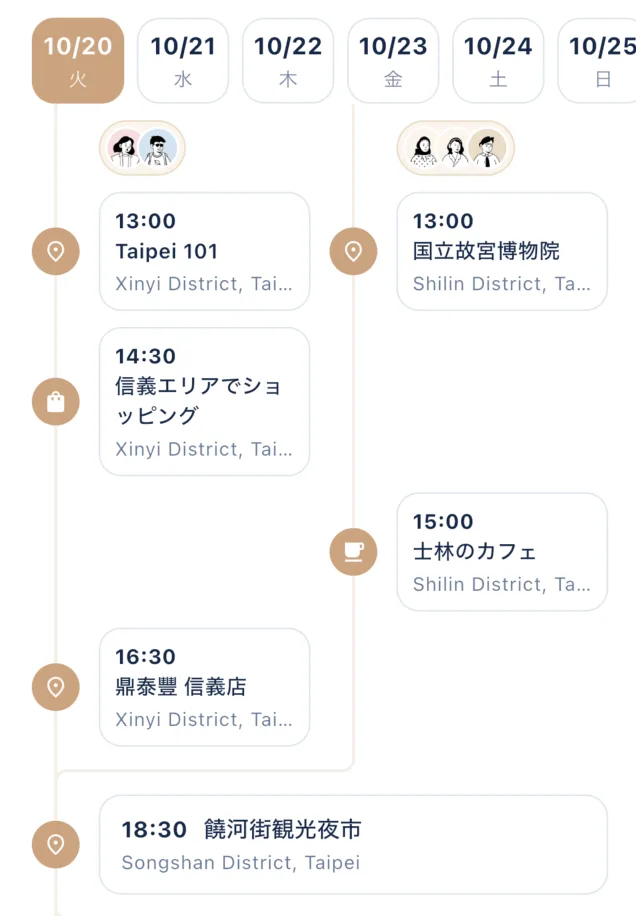
Line up places and journeys for each day, with times and notes in one place. Trains, buses, ferries, flights with connections, and multi-night stays all fit.
 From the first idea to settling up
Plan with friends, share costs, and keep every detail of the trip in one place.



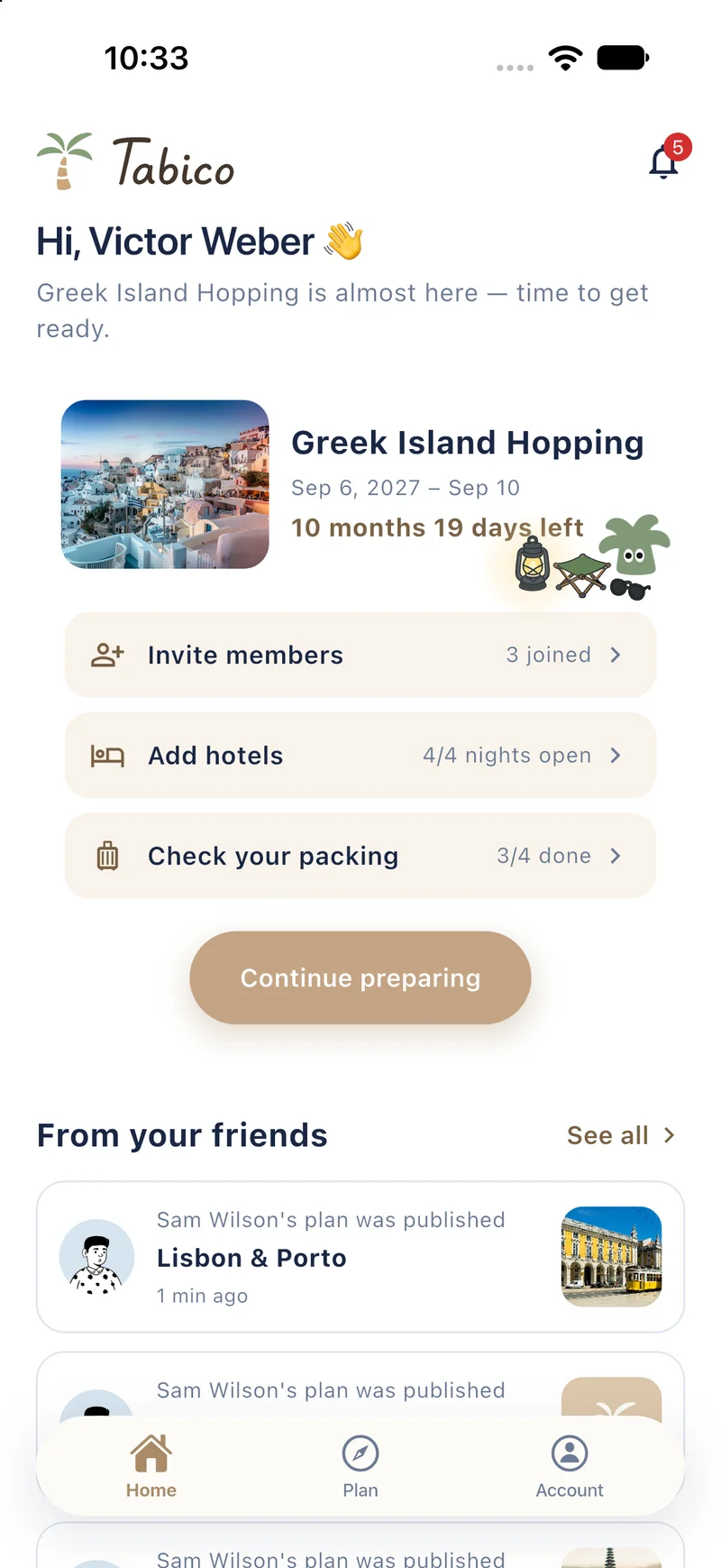
Taipei & Bangkok
Aug 20 – 24 · 4 travelers
To-do
Costs
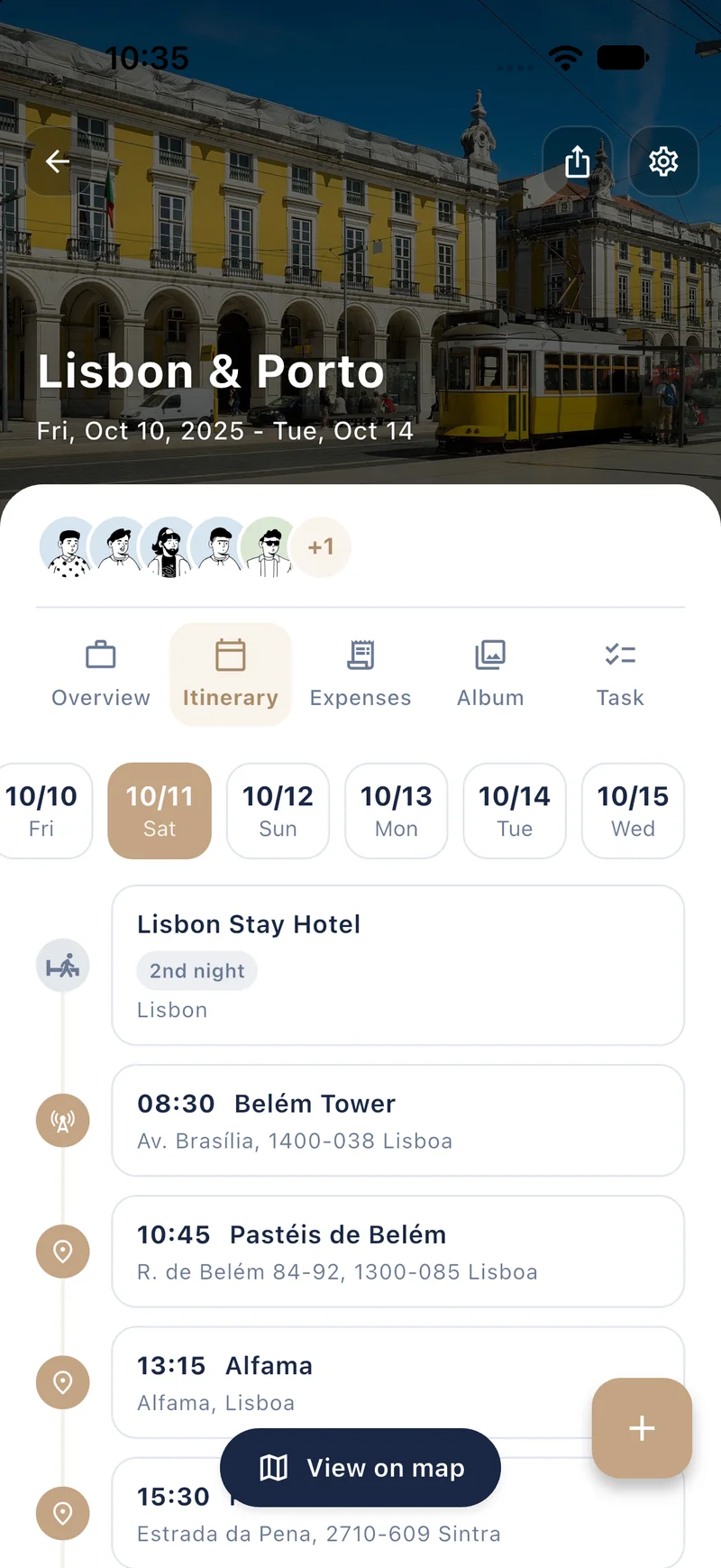
Line up places and journeys day by day, with times and addresses in one place. Everyone on the trip edits the same plan, so the schedule is always up to date.

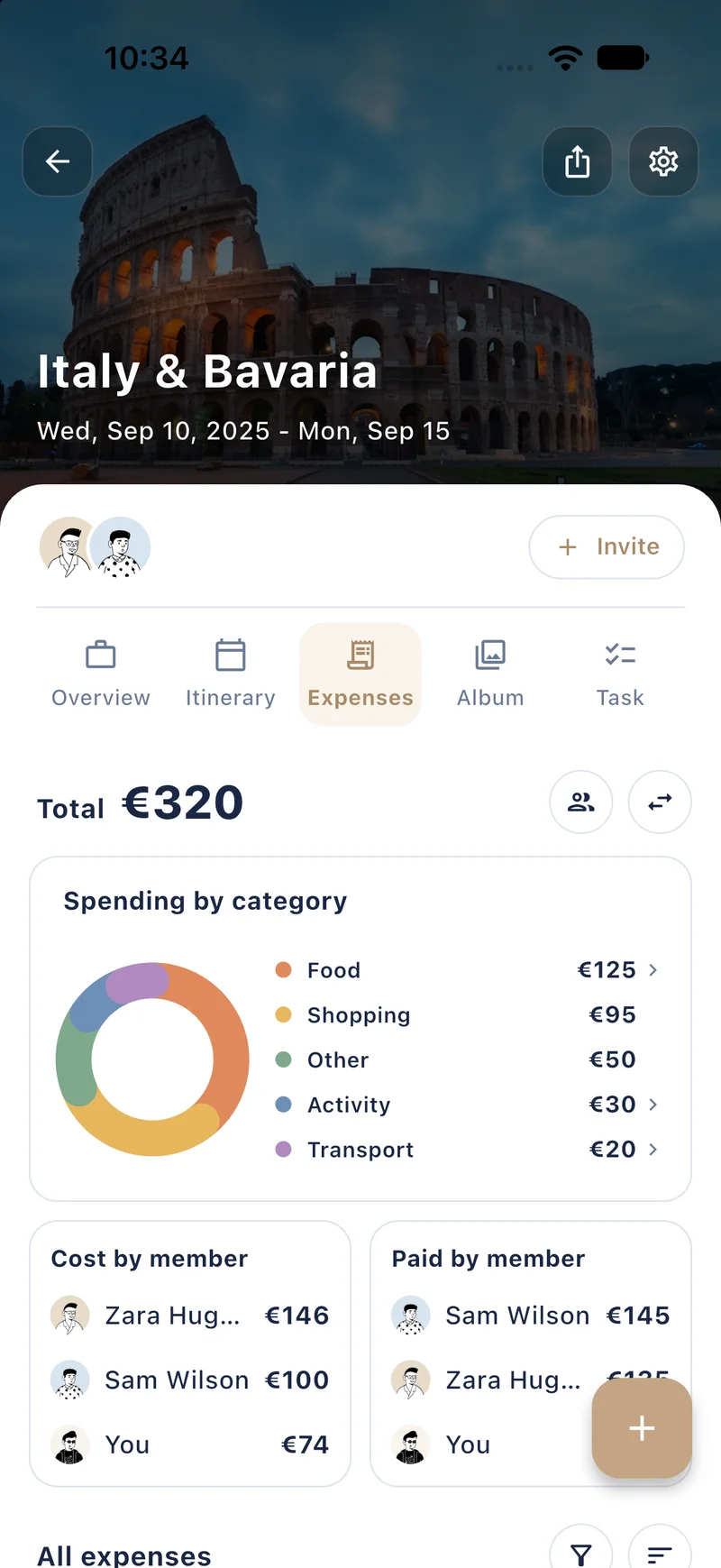
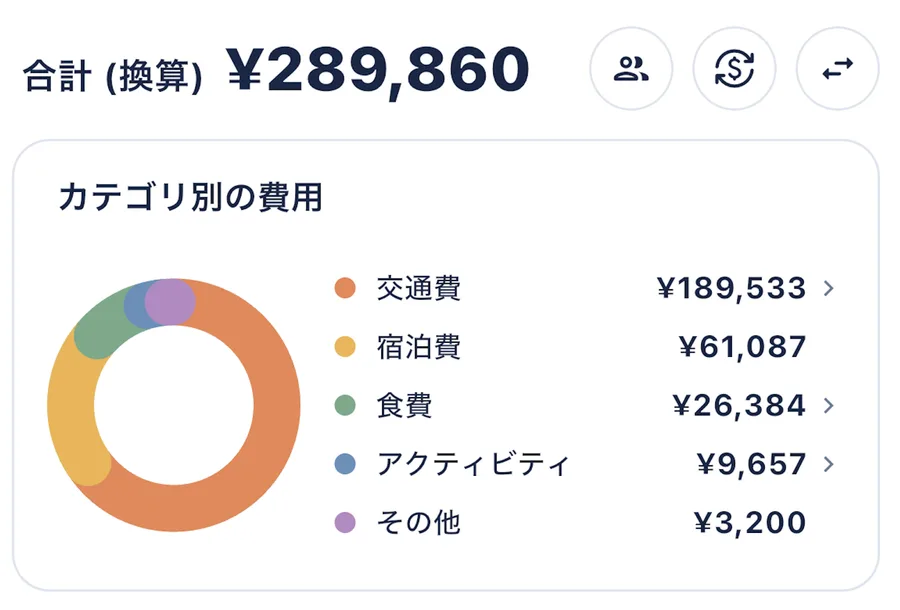
Log each expense as you go. Tabico converts every currency into one total and breaks it down by category and by member, so settling up after the trip takes seconds.

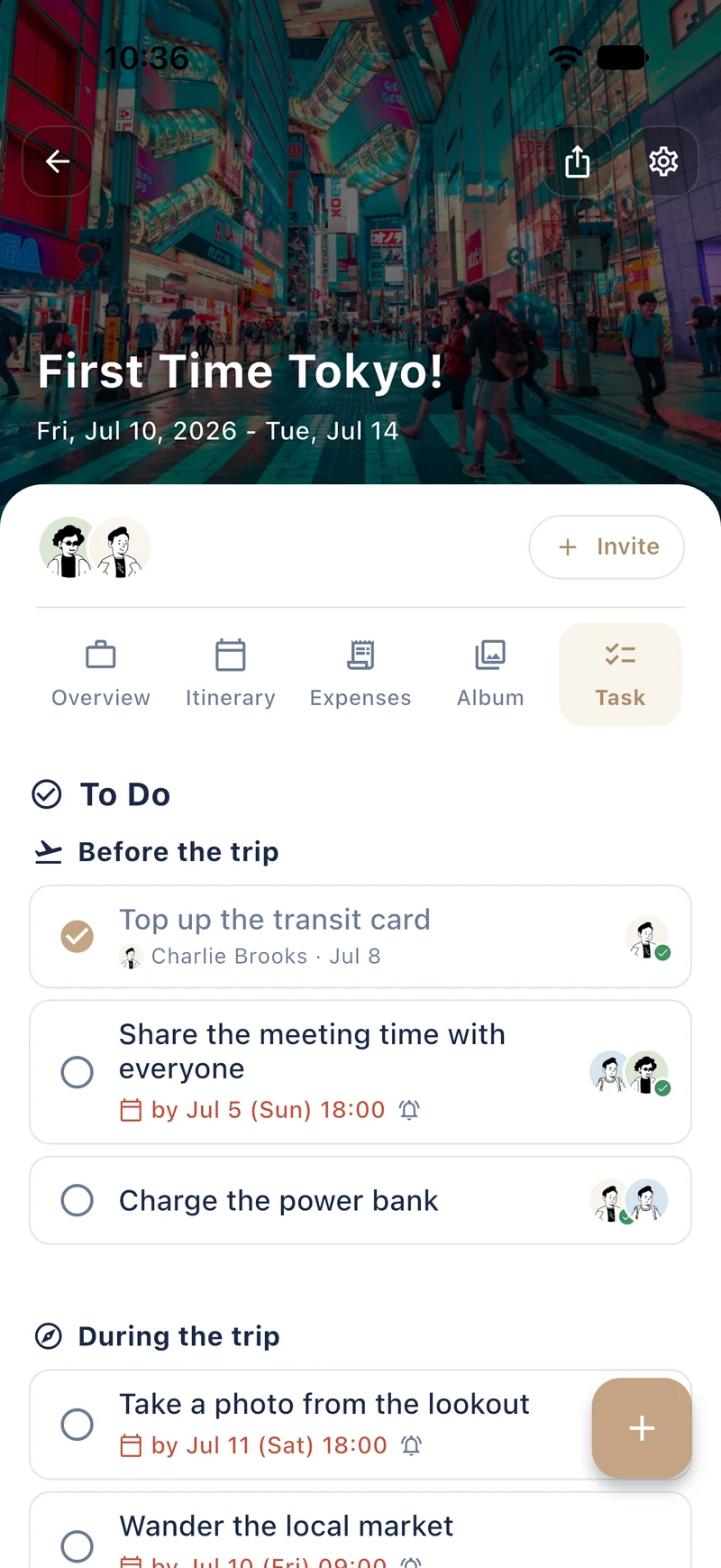
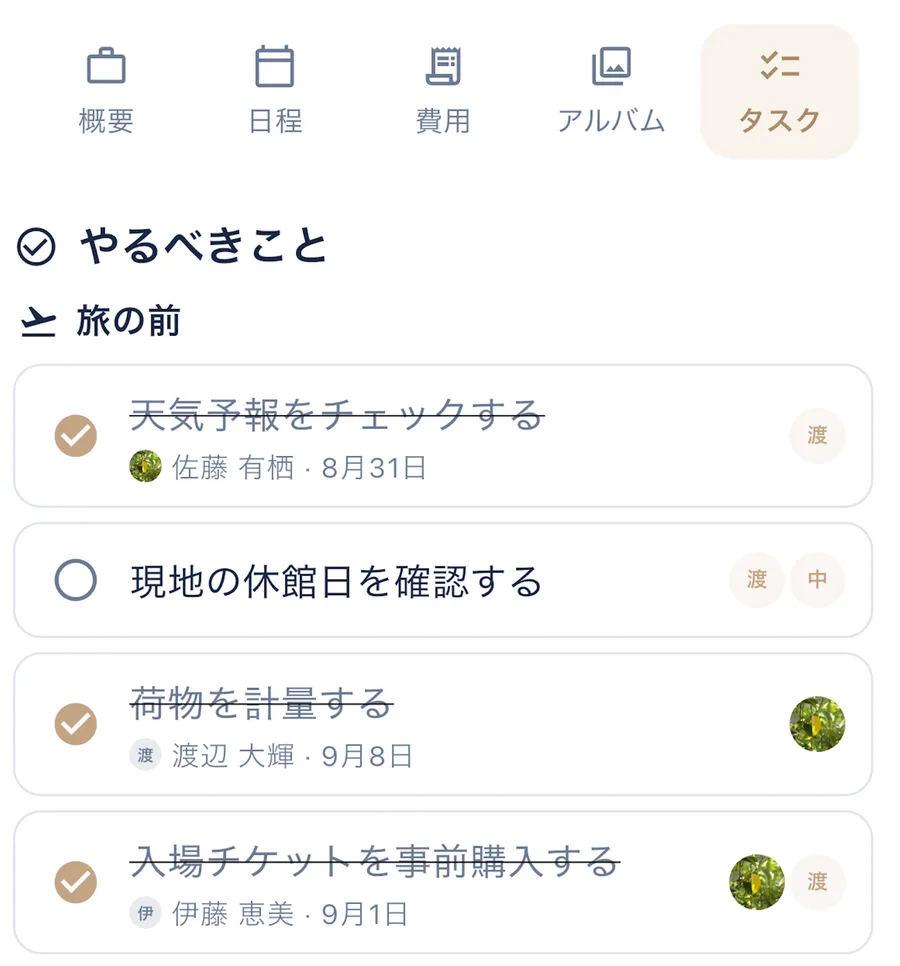
Bookings, errands and packing — list what needs doing before, during and after the trip, hand each task to someone, and tick them off together.

Destinations
From bustling cities to serene beaches, every destination has a story waiting for you.
















Features
From planning to exploring, Tabico has you covered every step of the way.
Line up places and journeys for each day, with times and notes in one place. Trains, buses, ferries, flights with connections, and multi-night stays all fit.
Invite friends with a link or QR code. Give each person a role — admin, editor, or viewer — and grow one plan together.
Found a place in Google Maps, Apple Maps or Instagram? Share it straight into your plan.
Record who paid and who shares. Even when yen, dollars and baht are mixed, bring them into one currency at Tabico reference rates or your own, and settle up.
Split up what to do and what to pack — before, during and after the trip — and tick it off together.
Not everyone wants the same afternoon. Fork the day so each group follows its own plan, and pick up together again at the meeting point.
Connect Tabico to the AI assistant you use and plan just by asking. The stops, costs and packing it adds land straight in the app, shared with your trip members.
See how to connectHow It Works
Set your destination, dates, and travel style.
Add places, set schedules, and organize your days.
Share your trip and plan together in real-time.
Log costs and settle up, and keep the photos in the album.
FAQ
Yes! Tabico is free to download and use. Create trips, invite friends, and plan your adventures at no cost.
Tabico is available on both iOS and Android. Download it from the App Store or Google Play.
Absolutely! Invite friends to your trip via link or QR code. Everyone can add places, edit the schedule, and collaborate in real-time.
When you add a cost, choose who paid and who shares it. Tabico works out who owes whom. Mixed currencies can be brought into one at Tabico reference rates or rates you set.
Yes. A plan you have opened once stays viewable without a connection.
Tabico currently supports English and Japanese, with more languages coming soon.
 Boarding pass
From
Today
To
Anywhere


 ChatGPT
 Claude